
Baby Translator & Cry Analyzer
Bankrot StudioParenting
3.248.00 Reviews
- Version
- 1.03.12
- Installs
- 500.00K
- Age Rating
- Everyone
Screenshots
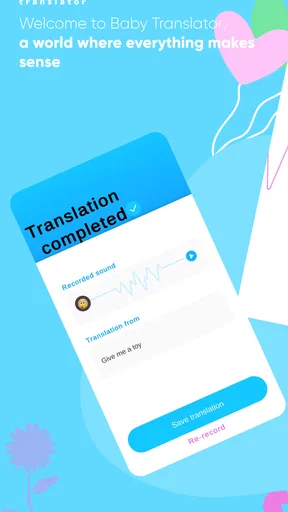
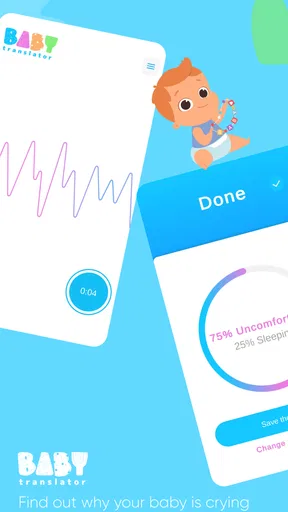
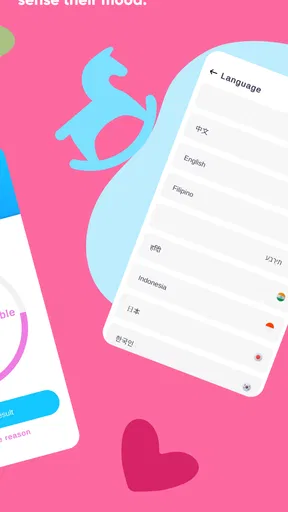
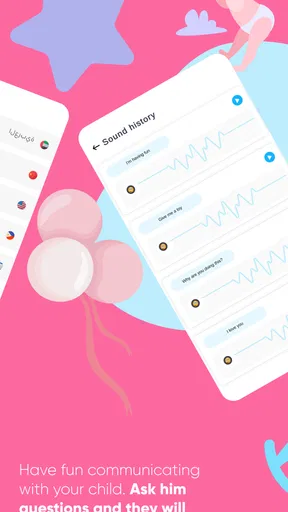
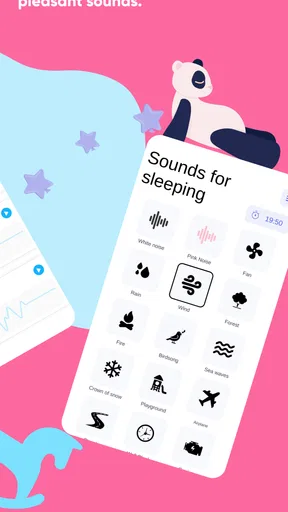
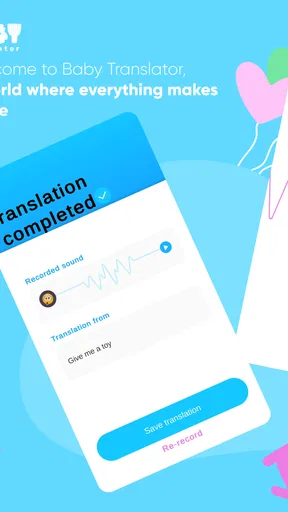
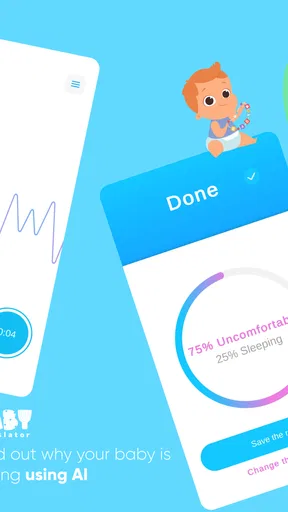
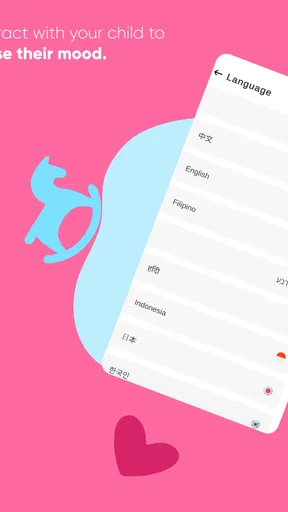
Our Review of Baby Translator & Cry Analyzer
 Analysis by Appyee
When a baby starts crying and the reason is not obvious, even experienced parents can feel stuck. Baby Translator & Cry Analyzer approaches that familiar problem with an AI-based interpretation tool designed to help parents think through a cry rather than simply guess in the dark. I tested it as a parenting app, and my impression is mixed but useful: it can offer a calming starting point during an uncertain moment, yet it should never be treated as a medical device or a substitute for learning your own baby’s signals.
The app comes from Bankrot Studio and is free to install, with optional in-app purchases ranging from $1.99 to $19.99 per item. It is rated for Everyone, runs on Android 7.1 and later, and the current version is 1.03.12. Its overall average sits at 3.2 from around 1.2 thousand ratings, while its reach has passed 500 thousand installs. Those figures suggest that plenty of parents are curious about the idea, although the rating also hints that the experience will not feel equally convincing to everyone.
Starting with a simple, repeatable cry-check routine
The most sensible way to use this app is not to open it only after panic has taken over. I found it more helpful when treated as one step in a repeatable routine. First, I check the ordinary causes: hunger, a wet diaper, temperature, tiredness, trapped air, discomfort from clothing, or a need for closeness. Then I use the app as an additional opinion if the reason still is not clear.
That order matters. An AI interpretation can be interesting, but a parent can often notice details the phone cannot: whether the baby is rubbing their eyes, drawing up their legs, turning away from light, feeling warm, or reacting to a particular position. The app works best when it supports those observations instead of replacing them.
In a realistic evening scenario, I might be holding a tired baby who has already been fed and changed but continues to cry. I would open the analyzer, follow its normal recording or analysis flow, and compare the result with what I can see. If the suggested explanation points toward tiredness, I might dim the room and use the usual settling routine. If it points toward discomfort, I would check clothing, position, burping, and temperature before deciding what to do next.
The useful part is not that the app magically identifies a single certain cause. The useful part is that it can interrupt the cycle of trying random solutions. When you are exhausted, having a structured prompt can help you slow down and check the basics in a consistent order. That is a modest benefit, but it is more realistic than expecting a phone to understand every cry perfectly.
I also recommend keeping the phone close enough to use without leaving the baby unattended, but not so close that the device becomes part of the baby’s face or sleeping space. The app should be used while an adult remains responsible for observing the child. A result is only a suggestion; the baby’s behavior and physical condition always deserve more weight.
What I would check before trusting a result
Before starting an analysis, I would make the surroundings as ordinary as possible. Loud television, running water, siblings, traffic, and another person speaking can all make any sound-based interpretation less useful. I would also avoid repeatedly recording while moving the phone around, because a changing distance from the baby can make comparisons between attempts less meaningful.
One practical habit is to use the same general position each time: hold the phone at a comfortable distance, keep the microphone unobstructed, and let the baby’s natural cry be the main sound. This is not a guarantee of accuracy, but it creates a more consistent routine. If the result changes dramatically between similar attempts, I would treat that as a reminder that the app is estimating rather than diagnosing.
Another useful habit is to remember the context of the cry. A result viewed without context can be misleading. A baby who has just woken may sound different from one who has been crying for several minutes. A cry after feeding may call for a different response from a cry after a busy day. I would mentally note what happened immediately before opening the app and compare its suggestion with that timeline.
Settings and phone habits that make the experience less frustrating
There is no reason to make the app part of a complicated parenting system. The settings worth checking are the ordinary phone and app controls that affect convenience: sound level, notification behavior, microphone access when requested, and whether the device is likely to lock or interrupt the process. These small details matter most when one hand is occupied with a baby.
I would check microphone access before the first difficult night rather than waiting until the baby is already upset. If the app cannot receive the sound it needs, the parent may mistake a technical problem for a poor interpretation. It is also sensible to keep the phone’s battery reasonably charged, since a parenting tool is less useful when the device is about to shut down.
For nighttime use, I prefer a setup that reduces stimulation. Lower screen brightness, silence unrelated alerts, and avoid turning the analysis into a bright activity in the baby’s face. The goal is to gather a little information without making the room more exciting. If the phone’s sound or notifications disturb the settling process, I would prioritize the baby’s routine over the app.
Parents should also think about privacy in a practical way. A crying recording can be personal household audio, so I would avoid using the app casually around other people or leaving recordings accessible on a shared device. I would read the app’s current permissions and privacy explanations myself before making it a regular part of family life. That is especially important when an app handles sounds involving a child.
The free entry point is helpful for trying the basic experience without committing immediately. However, the presence of optional purchases means I would explore the free workflow first and decide whether it genuinely fits my routine before paying for anything. A purchase cannot turn an uncertain interpretation into a clinical conclusion, so the value depends on whether the app’s process is actually useful to you.
Shortcuts that experienced parents can build around it
The fastest pattern is not opening the analyzer for every sound. That would create extra work and could encourage overthinking normal fussiness. I would reserve it for moments when the usual checklist has not helped, or when I want a second prompt before trying another calming approach. This keeps the app from becoming a reflex and makes each use more purposeful.
A second pattern is to compare suggestions with outcomes. If the app repeatedly gives a similar interpretation and one particular response often settles the baby, that may help you notice a personal routine. The important point is to learn from the whole situation, not to assume the app alone discovered the answer. Your observations remain the stronger source of long-term knowledge.
For example, I might notice that evening crying often appears after a long stretch without sleep. If the analyzer suggests a tiredness-related explanation and a quiet, dim room helps, I can remember that pattern for the future. On another day, the same kind of cry might occur with a fever, breathing change, unusual weakness, or persistent pain. In that case, the app’s suggestion should not delay professional help.
A third useful workflow is to use the app after checking a specific possibility rather than before checking anything. I might feed the baby, burp them, change them, and then analyze the continued crying. That gives the result a clearer context. It also prevents the app from distracting me from basic care that can resolve the problem without any technology.
I would not build a rigid schedule around the app or treat its labels as a baby diary unless the app clearly provides that function in the version being used. Instead, I would keep my own simple mental or written notes about feeding, sleep, and recurring situations if I need to identify patterns. The analyzer can be one observation in that process, not the entire record.
Where the AI idea reaches its limits
The central limitation is obvious once you use the app with real life happening around you: crying is not a clean signal. Babies cry for overlapping reasons, and the same cause can sound different depending on age, energy, environment, and how long the crying has continued. An AI-based result may feel precise because it presents an interpretation, but the wording should still be read as a possibility.
That distinction is especially important for health concerns. The app is not the right tool for deciding whether a baby is seriously ill, injured, dehydrated, struggling to breathe, unusually difficult to wake, or experiencing another urgent problem. If something feels medically wrong, I would contact a qualified healthcare professional or emergency service according to the situation. Waiting for another analysis would be the wrong trade-off.
The app is also less suitable for parents who want a detailed, evidence-based tracking system. A dedicated baby log may be better for recording feeds, sleep, diapers, medication instructions, and questions for a pediatric visit. Likewise, a direct call to a healthcare professional is better when the concern is about symptoms rather than everyday fussiness.
Another limitation is emotional. When the result does not match what you see, it can add doubt instead of removing it. That is why I would use the app only when I am calm enough to treat the output as one clue. If I find myself repeatedly rerunning analyses, searching for a more reassuring answer, or blaming myself when the result seems unclear, the app is no longer helping. Putting the phone down and returning to direct observation is the better choice.
The average rating of 3.2 reflects this kind of uneven fit. Some parents may appreciate the novelty and the extra prompt, while others may expect a level of certainty that a sound-based parenting app cannot reasonably provide. I would set expectations low and judge it by a practical question: does it help me organize my response during ordinary crying, without making me ignore what I already know about my baby?
Who will benefit, and who should skip it
I think the app is most suitable for new parents who want a simple extra aid during non-urgent periods of fussiness. It may also suit caregivers who become overwhelmed by too many possible explanations and prefer a guided starting point. The fact that it is free to begin makes experimentation easier, provided the optional purchases are considered carefully.
It can be particularly useful during a first month of building routines, when every cry may feel unfamiliar. Used alongside feeding, changing, burping, sleep, and comfort checks, it can encourage a more methodical response. It may also help two caregivers discuss what they are observing instead of immediately disagreeing about what the baby needs.
I would skip it if I were looking for medical reassurance, guaranteed accuracy, professional diagnosis, or a complete child-care record. I would also skip it during an urgent situation, when the baby’s physical signs matter more than an audio interpretation. Parents who already have a reliable routine and feel comfortable reading their child’s cues may gain little from adding another step.
Compared with the usual alternatives in parenting, this app sits between a simple checklist and professional advice. A checklist is faster and does not depend on sound analysis. A baby-tracking app can reveal patterns across sleep and feeding, which this tool is not designed to replace. A pediatrician can assess symptoms and the child directly. The analyzer’s narrow advantage is immediacy: it offers an AI-based perspective at the exact moment a parent is trying to interpret a cry.
My final assessment after making it part of a routine
Baby Translator & Cry Analyzer is an interesting free parenting app with a clear everyday use case, but its value depends heavily on how it is framed. I would recommend it as a calm second opinion for ordinary crying, not as a translator in the literal sense and certainly not as a health authority. The best results come from combining consistent phone handling, quiet surroundings, a basic care checklist, and honest attention to the baby’s behavior.
Bankrot Studio has made an accessible tool for parents who want to try an AI approach without paying at the door. Still, optional purchases between $1.99 and $19.99 per item deserve a careful look, particularly because the app’s usefulness will vary from one family to another. I would use the free experience long enough to see whether it actually improves my decision-making before considering any paid option.
My recommendation is therefore measured: try it if you are curious and want an additional prompt during normal fussiness, but keep your expectations grounded. The strongest workflow is “check the baby first, use the app second, and trust urgent physical signs over any result.” With that boundary in place, it can be a reassuring little aid. Without that boundary, it risks turning a helpful suggestion into false confidence.
Verdict
Strengths of Baby Translator & Cry Analyzer
- Simple interface makes it easy to record and analyze a baby’s cry.
- Can help parents notice recurring patterns in crying episodes.
- Useful as a supplementary tool during stressful moments.
- Quick results may provide reassurance when caregivers feel unsure.
- Portable support is available whenever and wherever needed.
Limitations of Baby Translator & Cry Analyzer
- Cry interpretations may be inaccurate or vary between individual babies.
- Should never replace medical advice or professional pediatric evaluation.
- Some features may require payment or an in-app subscription.
- Background noise can affect recording quality and analysis results.
- Frequent recordings may raise privacy concerns for some parents.
Similar Picks in This Category
View All
Family Space
Motorola Mobility LLC.3.9

شرطة الأطفال - مكالمة وهمية
Oub Apps4.1

Findmykids: Parental Control
LETEM LTD4.6

Pregnancy + | Tracker App
Philips Electronics UK Limited4.8

Policía de niños - para padres
Kids police4.7

Pregnancy App
Amila4.9
Frequently Asked Questions
What is Baby Translator & Cry Analyzer, and how does it work?
Baby Translator & Cry Analyzer is designed to analyze a baby’s crying through microphone recordings and suggest possible reasons, such as hunger, tiredness, discomfort, or the need for attention. It uses sound-pattern recognition rather than actually translating a baby’s words. Results should be treated as general guidance, because every child’s crying can sound different and the app cannot understand medical conditions with certainty.
Can Baby Translator & Cry Analyzer accurately identify why my baby is crying?
The app may provide useful suggestions, but it cannot guarantee an accurate explanation every time. Crying can be affected by age, mood, background noise, illness, feeding routines, and individual vocal patterns. Parents should compare the app’s recommendation with the baby’s behavior and circumstances. If the crying is unusual, persistent, or accompanied by concerning symptoms, contact a pediatrician instead of relying on the app.
Is Baby Translator & Cry Analyzer safe to use with newborns?
The application is generally intended as a support tool for parents and caregivers, but it should not replace attentive supervision or professional medical advice. Keep the phone at a safe distance and avoid placing it directly beside the baby’s head, especially when using sound recording features. Never leave a baby unattended while testing the app, and always respond to physical needs before checking the app’s interpretation.
Does Baby Translator & Cry Analyzer require an internet connection or access to my microphone?
Because the app analyzes recorded or live crying sounds, it normally requires microphone permission. Depending on the version and feature being used, some analysis may require an internet connection, while other functions may work locally. Before accepting permissions, review the app’s privacy policy and device settings. Users should also check whether recordings are stored, uploaded, or deleted after analysis.
Is Baby Translator & Cry Analyzer free to download, and are there in-app purchases?
The app may be available to download without an upfront charge, but certain features can be restricted behind advertisements, subscriptions, or in-app purchases. Pricing and available tools may differ between Android and iOS versions and can change after updates. Before starting a trial or purchase, check the store listing carefully for renewal terms, cancellation instructions, and the exact features included.
